How to Match an Unrecognised Patient
Note
Ensure the login guide has been followed before continuing: How to Login
Occasionally, the “Import attachment” button will be greyed out. To fix this, follow the below guide.
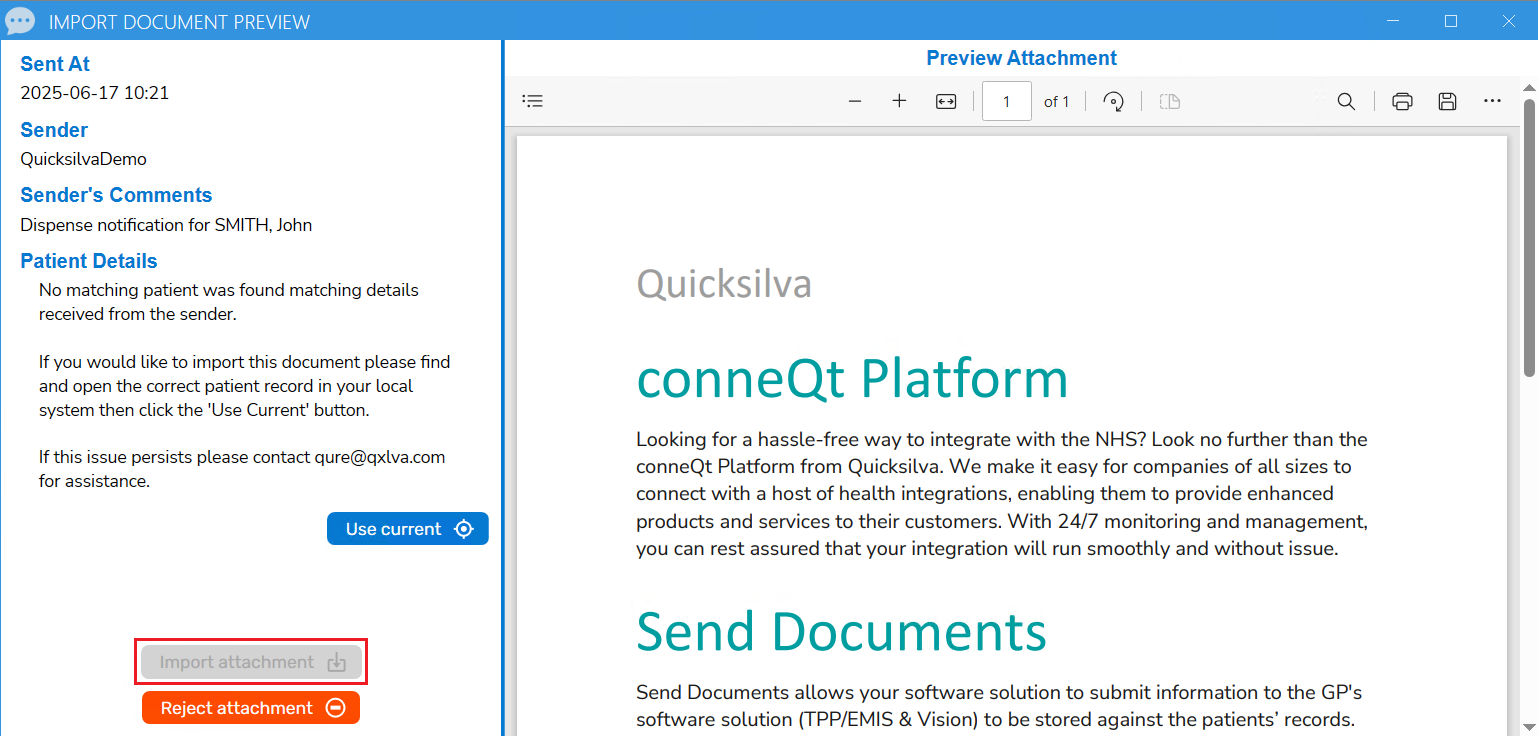
To import this document, the next action is already detailed on the Toolbar under "Patient Details."
- Find and open the appropriate patient record for the document in the local system.
- Click on the “Use Current” button within the Toolbar.
A notification will confirm the patient has been selected. The patient details interface will update accordingly, as shown in the example image, and the "Import attachment" button will become enabled.
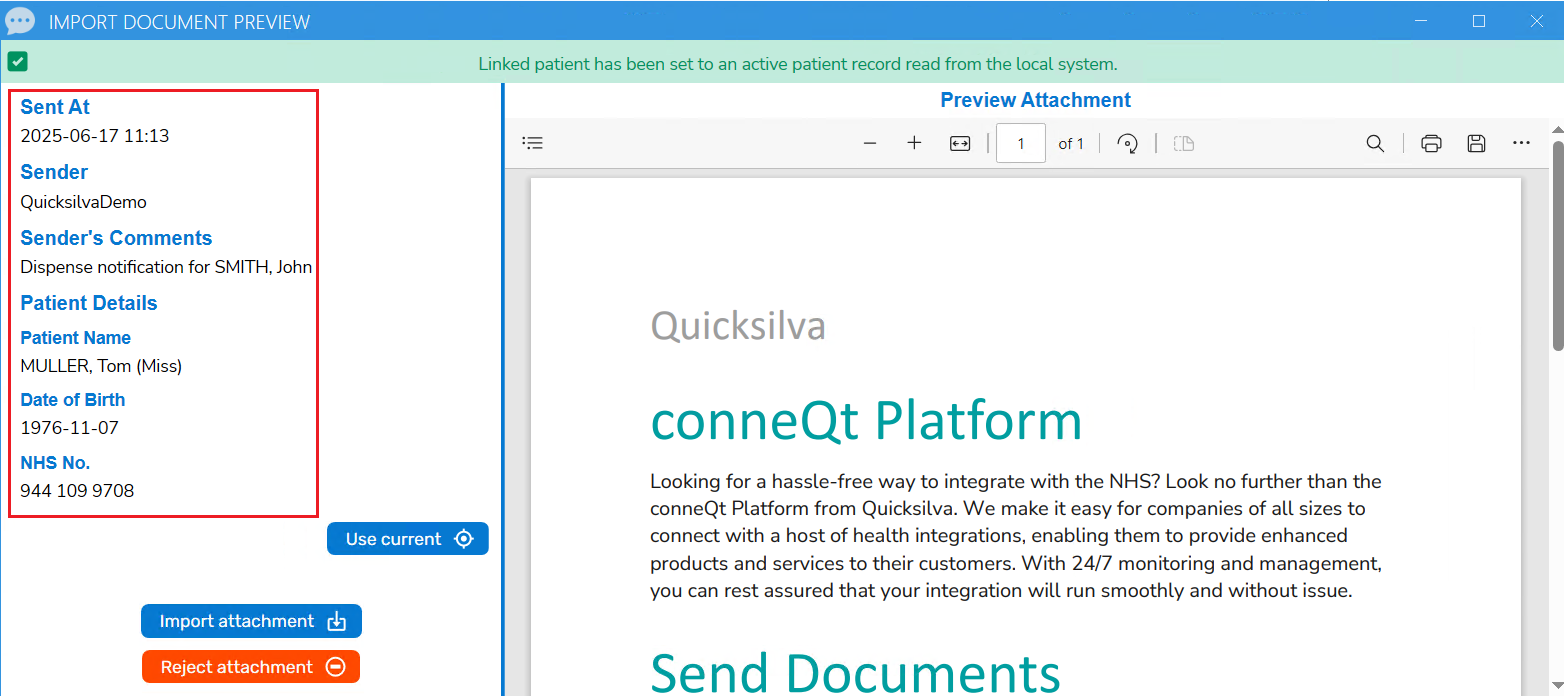
Continue to import the document as normal: How to Review and Import Documents